Best AI Agents in 2026: Top 10 Tested
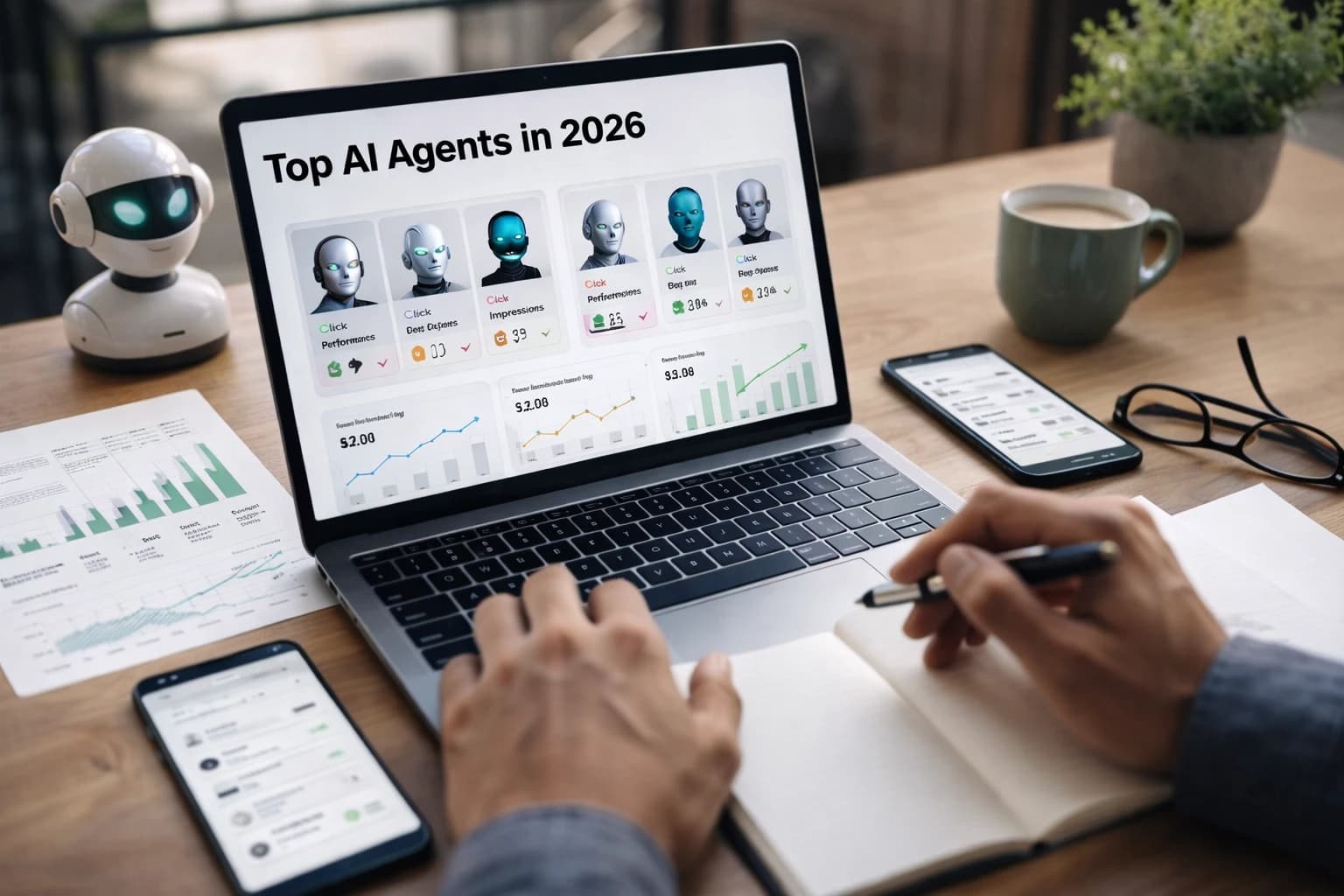
By 9 a.m., the SEO lead already has a keyword brief, a Slack update, and a CRM note waiting across three tabs. That is the promise behind the best ai agents — not bigger chat windows, but less clicking, less copying, and fewer dead-end handoffs between Google Docs, Slack, HubSpot, and your CMS.
If that scene feels familiar, this guide is for you. I wrote it for SEO professionals, content marketers, growth teams, agencies, publishers, and SaaS brands that need practical automation without losing editorial control. The search results are full of seven-tool, eight-tool, and twelve-tool lists. I care more about one question: can the tool finish real work on its own, then show you what it did?
Before we get into the shortlist, one caution. Vendors stretch the word “agent” hard. Some tools are smart chat interfaces. Some are workflow builders with AI bolted on. Some genuinely combine language understanding with decision-making and can act across multiple apps. For a marketing team, that difference shows up fast — especially when you are trying to move from keyword research to brief, from meeting to action items, or from support queue to clean CRM data.
Selection criteria for the best ai agents
Agents vs. chatbots: what the tool must do autonomously
Watch This Helpful Video
To help you better understand best ai agents, we've included this informative video from Futurepedia. It provides valuable insights and visual demonstrations that complement the written content.
For this comparison, an AI agent has to do more than answer a prompt. The stronger definition from recent hands-on reviews is straightforward: it is a software system that uses AI to perform tasks autonomously toward a specific goal, combining language understanding with decision-making. In plain English, it should be able to read context, choose a next action, and do something useful in another system.
That standard matters because recent reviewers have already done some of the market filtering for us. One reviewer said they spent weeks testing more than 25 AI agents and kept only 12 worth recommending. Another said they tried over a dozen agent platforms inside a marketing agency before deciding which ones were actually useful. That lines up with what most teams discover by week two: the market is noisy, and labels are cheap.
If it only chats or drafts text, it’s not enough for this list.
Workflow depth: where the time savings show up in real marketing work
The real payoff appears in multi-step work. Think of a content lead who needs to pull SERP themes, cluster keywords, generate an outline, suggest internal links, post a Slack summary, and hand the brief to a writer — all before lunch. A real agent helps across that chain. A basic assistant stops at “here’s a draft.”
That is also where the general coverage around AI agents often falls short for SEO teams. Many articles correctly frame agents as more than content generators. They should be able to book meetings, summarize documents, fill forms, and update CRM data. But for search teams, I also want to see keyword clustering, brief generation, internal-link suggestions, and SERP-feature targeting. Those are the chores that actually shrink blank-page time.
Integration and control: where teams need visibility, not just automation
Good automation without visibility creates a different mess. If an agent updates Salesforce, posts to Slack, or modifies a support queue, your team needs logs, permissions, and clear ownership. This is where flashy demos die in the real world. You need to know what the system touched, which fields it changed, and how a human can step in when the edge case arrives at 4:47 p.m.
That is why I weighted connected workflows and control more heavily than raw model cleverness. Slack, inboxes, CRMs, meeting systems, and CMS connections matter. So does simple stuff: retries, approval steps, and whether a non-technical marketer can maintain the workflow six weeks later.
| # | Tool | Primary lane | Best for | Main caution |
|---|---|---|---|---|
| 1 | Perplexity | Research | Fast SERP synthesis and cited web scanning | Still needs manual SERP review |
| 2 | ChatGPT | Briefing | Structured outlines, briefs, and reusable workflows | Can sound confident about weak facts |
| 3 | Manus | Delegated research | Longer multi-step research tasks | Needs close editorial review |
| 4 | Gumloop | Ops automation | Slack triage and CRM-connected workflows | Needs clear exception handling |
| 5 | Zapier Agents | App routing | Broad no-code workflow connections | Costs and logic sprawl can creep up |
| 6 | n8n | Controlled automation | Custom, technical, and self-hosted flows | Steeper setup curve |
| 7 | Lindy | Meetings and support | Turning conversations into next actions | Template design matters a lot |
| 8 | Intercom Fin | Support | Ticket deflection and resolution help | Only as good as its knowledge base |
| 9 | Relevance AI | Sales and internal assistants | Workflow-first agent systems for teams | Requires process design discipline |
| 10 | Bland AI | Voice | Phone workflows and follow-up at scale | QA and compliance are non-negotiable |
Best AI agents for content research and briefing
SERP and keyword research support
#1 Perplexity
Summary: Perplexity is the quickest way on this list to compress early-stage research. It is strong when you need a fast read on a topic, competing claims, cited pages, and adjacent questions before you open Ahrefs, Semrush, or Search Console.
Best for: Content strategists and editors who want a first-pass SERP synthesis before writing a brief.
Watch-outs: Do not confuse cited answers with full SERP analysis. You still need to inspect ranking pages, page types, freshness, schema patterns, and whether Google is favoring videos, forums, or product pages.
#2 ChatGPT
Summary: ChatGPT earns its place because it is flexible, not because it is magically better at search. Give it a clean structure — target term, likely search intent, must-cover subtopics, audience notes, and internal pages to link — and it can turn messy notes into a usable brief fast.
Best for: Teams that already have a repeatable briefing template and want speed in Google Docs or Notion handoff.
Watch-outs: Without browsing, source material, or clear constraints, it will smooth over uncertainty and create convincing filler. That is useful for formatting, risky for editorial truth.
Use the agent to compress research, not to replace editorial judgment.
Brief creation and outline generation
#3 Manus
Summary: Manus is the more delegated option in this group. If Perplexity helps you scan and ChatGPT helps you structure, Manus is the tool I would look at when you want the system to run a longer research task, gather material across pages, and assemble a more complete working draft for review.
Best for: Teams that need heavier autonomy on repetitive topic research and can tolerate a slower, more deliberate run.
Watch-outs: More autonomy means more room for hidden errors. Review every citation, every comparison, and every recommendation before it goes near a writer or client.
For SEO teams, this category is where general “AI agent” coverage often misses the mark. The useful questions are not just “Can it write?” They are “Can it cluster related keywords?” “Can it suggest internal links from existing pages?” “Can it spot missing entities or weak sections in a brief?” If your workflow begins with search intent and ends with a writer handoff, these details matter more than a polished chat interface.
Fact-checking, citations, and editorial handoff
The strongest content agents do not finish the article. They finish the prep. That means source gathering, claim checking, and clean handoff notes for a writer or editor. In practice, I like a two-step rhythm: use Perplexity or Manus to gather the terrain, then use ChatGPT to normalize everything into the same brief template your team already uses.
Top-ranking coverage around agents makes the same larger point: they should handle multi-step workflows across apps and services, not just generate content. That distinction matters here. A research agent should be able to summarize documents, organize notes, and pass a usable packet to the next system or person. If all you get is a long answer in one window, the last mile is still yours.
Best AI agents for workflow automation and ops
Slack and inbox triage

#4 Gumloop
Summary: Gumloop stands out because it is positioned around real operational choke points. Recent coverage describes it as able to get instant answers directly from Slack, automatically triage issues, and spot patterns. That is a stronger signal than a generic “build agents fast” promise because it maps to how teams actually work.
Best for: Marketing and ops teams that live in Slack and want routing, summarization, and triage to happen where requests already appear.
Watch-outs: Slack-native automation sounds simple until exceptions pile up. You need rules for escalation, ownership, and when the agent should ask a human instead of guessing.
Slack-native triage is a stronger proof of value than a flashy demo.
CRM updates and request routing
#5 Zapier Agents
Summary: Zapier Agents makes this list because breadth still matters. When a team needs to move data from Gmail to Slack, forms to HubSpot, or calendar events to a task manager, wide app coverage can beat a more specialized tool. The product strength is not novelty. It is reach.
Best for: Teams that want no-code routing across a familiar stack and care more about connected actions than custom engineering.
Watch-outs: Broad integrations can turn into broad sprawl. If five people build five slightly different automations, your CRM hygiene gets worse, not better.
Coverage from Gumloop highlights another lesson here: CRM work is a real agent test. The moment a tool can manage CRM steps without making you click into the CRM, you are in value territory. The moment it writes the wrong owner, stage, or note, you are in cleanup territory. That is why auditability matters as much as convenience.
Repeatable admin tasks and multi-step automations
#6 n8n
Summary: n8n is the pick for teams that want more control than a glossy assistant usually provides. It is especially good when your workflows involve branching logic, custom APIs, private data, or a strong preference for self-hosting and technical oversight.
Best for: Technical marketing teams, agencies with varied client stacks, and organizations that need deeper customization.
Watch-outs: You buy freedom with complexity. A marketer can learn n8n, but maintenance, debugging, and governance are heavier than in plug-and-play systems.
The pattern across all three tools is simple. Ready-made automations are great when the workflow is well understood. Once your process includes oddball approvals, custom fields, or multiple fallback paths, you will want more control. That is where the choice between Gumloop, Zapier Agents, and n8n becomes less about AI and more about operating model.
Best AI agents for meetings, calls, and support
Meeting prep and summaries
#7 Lindy
Summary: Lindy is the clearest meeting-to-action pick on this list. Its published use cases span meetings and support alongside sales, marketing, recruiting, and voice, and its templates include phone calls, email automation, and meeting recording. That breadth matters because meetings are rarely isolated events. They trigger follow-up work elsewhere.
Best for: Teams that want one agent layer to prepare for meetings, capture what happened, and push the result into email, task, or support workflows.
Watch-outs: Template libraries help, but they do not replace process design. You still need to define what counts as an action item, when to open a task, and who approves sensitive follow-up.
Call analysis and next-step capture
The line I use here is blunt: if the tool cannot convert a conversation into next steps, it is a note taker, not an agent. That is why Lindy makes sense for this slot. The point is not transcript quality alone. The point is what happens after the call ends — the CRM update, the support follow-up, the scheduling link, the summary for Slack, the owner assignment.
Top results in this category keep returning to the same idea: agents should handle workflows across apps, not just produce a summary after the fact. For sales, success, and support teams, that is the difference between “nice meeting notes” and “the system prevented work from falling through the floor.”
If the tool cannot turn a meeting into action items, it is only a note taker.
Support ticket triage and resolution support
#8 Intercom Fin
Summary: Intercom Fin belongs on a practical shortlist because support is one of the clearest use cases for autonomous help. A strong support agent can answer common questions, route harder tickets, and reduce repetitive queue work without pretending every request should be fully automated.
Best for: Teams with a meaningful support volume, a maintained help center, and clear escalation rules.
Watch-outs: Support agents inherit the quality of your knowledge base. If the source material is stale, contradictory, or incomplete, the automation only scales the confusion.
For SEO and content teams, this may sound peripheral. It is not. Support questions reveal audience language, recurring objections, product confusion, and long-tail content ideas. The right support agent does not just save time — it surfaces patterns your editorial calendar should care about.
Best AI agents for sales, recruiting, and voice workflows
Sales workflow support

#9 Relevance AI
Summary: Relevance AI is a solid fit when you want workflow-first agents that operate more like internal teammates than isolated assistants. It is especially useful for sales-adjacent work: lead research, enrichment steps, routing, internal Q&A, and handoffs between outreach, CRM, and reporting.
Best for: Revenue teams and ops-minded marketers who want a broader agent system rather than a single-purpose feature.
Watch-outs: This kind of platform rewards process clarity. If your stages, ownership rules, or data hygiene are messy, the agent will expose that fast.
This is also where one line from recent agency testing rings true: many people change their view of agents only after they see that the good ones are not just dressed-up automations. In sales, you feel that difference quickly. A helpful system does more than move fields around. It interprets context, recommends next steps, and keeps the queue moving.
Recruiting and internal coordination
Recruiting is a good reality check for agent design because it mixes high volume with low tolerance for mistakes. If your need is internal coordination — intake, screening prompts, scheduling, status updates, and recruiter handoff — a platform like Relevance AI can work well. If recruiting is the main event, though, I would still verify whether an ATS-native option fits better than a general builder.
That broader lesson applies well beyond HR. The best team-wide agent is not necessarily the one with the biggest feature list. It is the one your people trust to keep work moving in systems they already use. Trust beats novelty every time.
The best team-wide agent is the one people will actually trust to keep moving work forward.
Voice-driven automations and follow-up
#10 Bland AI
Summary: Bland AI is the voice-first specialist on this list. If your workflow depends on phone-based qualification, reminders, after-hours coverage, or follow-up calls, a dedicated voice agent can go further than a general-purpose builder.
Best for: Teams with repeatable call scripts, clear guardrails, and a real business reason to automate phone interactions.
Watch-outs: Voice quality is only half the job. You also need consent, compliance, escalation logic, and careful QA so the experience does not feel robotic or reckless.
For many marketing teams, voice will not be the first place to start. That is fine. But if your growth engine touches demos, qualification, event follow-up, or appointment reminders, voice can remove a surprising amount of administrative drag when it is well designed.
How to choose the right option
Choose by primary use case, not by feature count
The recurring theme across the strongest market coverage is practical workflow automation over AI novelty. That is the right lens. Start with the bottleneck, not the brochure. If your pain is research and briefing, begin with Perplexity, ChatGPT, or Manus. If it is Slack triage and CRM upkeep, look first at Gumloop, Zapier Agents, or n8n. If it is meetings and support, Lindy and Intercom Fin deserve the first calls.
| If your first problem is… | Start with… | Why |
|---|---|---|
| SERP research and fast briefing | Perplexity or ChatGPT | Fastest path to a usable editorial handoff |
| Deeper delegated topic research | Manus | More autonomy for longer research tasks |
| Slack triage and CRM actions | Gumloop | Strong fit for real-time operational work |
| Broad app-to-app routing | Zapier Agents | Wide integration coverage with lighter setup |
| Custom workflows and governance | n8n | More control, branching, and technical depth |
| Meetings into actions | Lindy | Better fit for follow-up, not just transcripts |
| Support queue relief | Intercom Fin | Strong support-focused automation path |
| Sales and internal assistants | Relevance AI | Workflow-first team use cases |
| Phone workflows | Bland AI | Voice specialization where calls matter |
Pick the workflow first, then the tool.
Check integrations and permissions before rollout
Lindy’s solution pages group templates and use cases by function, which is a useful reminder: buy by workflow category. Gumloop’s Slack and CRM emphasis makes the same point from another angle. Context matters. A brilliant agent that cannot touch your CMS, CRM, inbox, or task layer will create extra steps, not fewer.
Before rollout, inspect permissions, human approval options, and logs. Ask boring questions. Can it write back to HubSpot? Can it post to a private Slack channel? Can legal or IT review what it touched? Can you stop one step without breaking the whole chain? This is where “works in demo” turns into “works on Tuesday.”
Start with one workflow, prove the time savings, then expand
Do not launch five agents at once. Start with one loop that is repetitive, measurable, and mildly annoying. A good first candidate might be content brief creation, support ticket triage, post-meeting action capture, or Slack intake routing. Measure time saved, error rate, and how often a human still has to intervene.
Once that first workflow is stable, expand sideways. Add internal-link suggestions to the briefing process. Add CRM updates after calls. Add queue summaries for support. The teams that win with agents usually move this way — one proven system at a time, with clear ownership and visible results.
The best ai agents are not the flashiest tools in your stack. They are the ones that quietly remove repetitive work and leave your team with more time for judgment, strategy, and useful writing.
Start with the workflow that hurts most, and this category gets much easier to buy. Which repetitive task in your team would be worth automating first if the tool had to prove itself within 30 days?
Build Smarter Pipelines With SEOPro AI
SEOPro AI gives SEO teams an AI blog writer for automated content creation, connected publishing, internal linking, schema support, and better LLM mention visibility.
See It Work