Best Semantic Search SEO Tools for 2026

At 11 p.m., you search one question before a client call. Google shows blue links. An AI summary sits above them. Then a chat-style answer in ChatGPT or Gemini gives you a neat, confident paragraph. Same question. Three visibility models.
That is the new reality of semantic search seo in 2026. You are no longer choosing tools only for rank tracking or keyword expansion. You need software that helps you understand intent, map related entities, spot technical blockers, and measure visibility across classic search and AI-driven answers.
This guide is for SEO professionals, content marketers, growth teams, agencies, publishers, and SaaS brands deciding where budget should go next. If your weekly report now has Google rankings on one tab and AI mentions on another, this is where you separate nice-to-have features from tools that actually solve the problem in front of you.
Selection criteria: what counts as a semantic search SEO tool in 2026
I ranked these options by function, not hype. A real semantic search tool in 2026 should help you do at least one of four jobs well: understand intent, map entities and relationships, measure visibility across search surfaces, or remove technical barriers that keep content from being discovered.
Watch This Helpful Video
To help you better understand semantic search seo, we've included this informative video from IBM Technology. It provides valuable insights and visual demonstrations that complement the written content.
Intent and entity coverage
Google Cloud defines semantic search as understanding contextual meaning and intent rather than only matching literal keywords. That distinction matters. If a tool still treats “CRM for dentists” and “best practice management system for a dental office” as unrelated because the words differ, it is behind the curve.
Google Cloud also says semantic search can consider relationships between words, the searcher’s location, previous searches, and the broader context of the query. In practice, that means your tool should help you move beyond a flat keyword list into topics, entities, attributes, and likely user needs. Think of the difference between targeting “graphic design laptop” and understanding why a student may care about RAM, graphics performance, and a color-accurate display.
Classic SEO vs. AI search visibility
Blue links still matter. So do AI Overviews, AI Mode, and chat-based discovery. That is why I favored tools that either measure those surfaces directly or help you remove the obstacles that keep you out of them.
The language varies by vendor. SE Ranking lists AI Overviews Tracker, AI Mode Tracker, ChatGPT Tracker, Gemini Tracker, and Perplexity Tracker. Lumar talks about GEO (AI Search) Metrics that identify issues preventing content from appearing in AI search. Different labels, same buying question: can you see where your brand is visible, and why?
If a tool only tracks keywords, it is not enough for semantic search SEO anymore.
Workflow fit: research, content, technical, or reporting
One more filter decides whether a tool earns its keep: workflow fit. A content strategist at a publisher needs something different from an enterprise SEO lead managing 2 million URLs. A weekly agency report has different requirements from an engineering team building custom search on a knowledge base.
Here is the lens I used while comparing the options below.
| Criterion | What good looks like | Why it matters |
|---|---|---|
| Intent coverage | Understands query meaning, modifiers, and likely needs | Search engines now interpret situations, not just words |
| Entity coverage | Maps related concepts, attributes, and subtopics | Topical completeness often beats raw keyword repetition |
| AI visibility | Tracks AI Overviews, chat surfaces, or AI search blockers | Traffic discovery is split across multiple interfaces |
| Workflow fit | Supports research, content, technical SEO, or reporting clearly | The wrong tool becomes shelfware fast |
1. Google Cloud — best for custom semantic search builds
Google Cloud is the outlier on this list. You do not choose it because you want a canned SEO dashboard. You choose it when you need to build a search experience around contextual understanding — for a product catalog, help center, internal knowledge base, or complex site search layer.
Best for: engineering-heavy teams, product-led organizations, and publishers that need control over the search experience itself.
Where it fits in a semantic search stack
Most SEO tools help you observe search. Google Cloud is different because it can help you build search. If your job includes on-site discovery, document retrieval, or content navigation, that matters. Better on-site retrieval can reveal how users phrase needs, what entities they expect to see together, and which pages fail to answer the real question.
That makes it useful for teams whose semantic work sits between SEO and product search. A SaaS help center with hundreds of technical articles is a good example. If your users search “SSO login loop Azure AD,” you want retrieval that understands the issue, not just pages that repeat those exact words.
Why contextual retrieval matters
Google Cloud describes semantic search as a system that tries to understand meaning and intent like a human would, not just literal keyword matches. Its explainer also notes that context can include relationships between words, location, previous searches, and the broader query situation.
The “best laptops for graphic design students” example is a strong one because it mirrors how search behaves now. A useful system should infer that the searcher probably cares about graphics capability, RAM, and display quality, not just pages with the exact phrase in the title. For your SEO work, that same logic should influence how you cluster topics and structure pages.
Choose a build-first platform only if you need control over the search experience itself, not just SEO reporting.
When not to choose it
If you need weekly ranking reports, AI Overviews tracking, or an off-the-shelf site audit, Google Cloud is not the first pick. It asks for engineering time, implementation planning, and a clearer product requirement than most marketing teams have.
That is not a flaw. It is simply a different job. If your bottleneck is visibility reporting, move on. If your bottleneck is custom retrieval and contextual discovery, Google Cloud deserves a serious look.
2. SE Ranking — best for all-in-one SEO plus AI search tracking

SE Ranking makes this list because it covers a wide surface area without pretending AI discovery is a side feature. For many teams, that is the buying decision right now: keep classic SEO workflows intact while adding visibility tracking across AI-driven results.
Best for: agencies, in-house SEO teams, and marketing leads who need one reporting layer for rankings, audits, and AI search monitoring.
AI Search Toolkit and trackers
SE Ranking’s product list explicitly includes an AI Search Toolkit with AI Overviews Tracker, AI Mode Tracker, ChatGPT Tracker, Gemini Tracker, and Perplexity Tracker. It also lists a ChatGPT ads tracker and AI Mode ads tracker. That breadth matters because your brand can now appear — or disappear — across multiple answer surfaces that do not behave like a traditional ten-blue-links result page.
For teams reporting every Friday, this is practical. You can stop treating AI visibility as anecdotal and start treating it as something you monitor the same way you monitor rankings or crawl health.
Keyword, rank, and site workflow in one place
SE Ranking also lists Rank Tracker, Keyword Research, On-Page SEO Checker, Website Audit, Competitor Analysis Tool, and Backlink Checker. That puts it firmly in the all-in-one camp. You are not bolting AI search on top of a narrow point solution; you are extending an existing SEO workflow.
That matters for budget discipline. If your team already juggles Google Search Console, a crawler, a keyword tool, and three dashboards for AI mentions, consolidation has real value. It reduces reporting friction and usually improves adoption across SEO, content, and client services.
If you need one dashboard for SEO and AI search monitoring, this is the clearest wide-coverage play in the current field.
Best for agencies and in-house teams that report weekly
This is the easiest recommendation for teams that need broad coverage and regular reporting. Agencies with multiple client accounts, SaaS brands watching category terms, and publisher SEO leads who need both classic and AI-surface visibility can get a lot from a single stack like this.
The tradeoff is simple: a broad platform may not go as deep as a custom build or an enterprise crawler in one narrow area. If you know your biggest problem is technical SEO at scale, Lumar may fit better. If you know your biggest need is bespoke retrieval logic, Google Cloud is the better lane.
3. Lumar — best for technical SEO and AI search readiness at scale
Lumar earns its spot for one reason: semantic visibility falls apart when your site is hard to crawl, slow to render, structurally inconsistent, or technically noisy. Enterprise teams learn this the expensive way.
Best for: large websites, complex publishing environments, and organizations where technical bottlenecks limit both search performance and AI search inclusion.
GEO (AI Search) metrics
Lumar highlights GEO (AI Search) Metrics designed to identify issues preventing content from appearing in AI Search. That is an unusually useful framing. Instead of asking only “Did we rank?” you also ask “What stopped our content from being eligible, extractable, or understandable on AI-driven surfaces?”
For a publisher with tens of thousands of articles, that shift matters. AI answers often depend on clean structure, accessible content, and dependable crawl paths. You cannot paper over broken architecture with a few rewritten paragraphs.
Crawl, monitor, protect, and impact workflow
Lumar organizes its platform around Analyze, Monitor, Protect, and Impact. That language maps neatly to enterprise SEO work. First, you crawl and diagnose. Then you watch for change. Then you prevent regressions. Then you measure business effect.
The platform also highlights an ultra-fast, flexible website crawler built for enterprise-scale websites, along with Technical SEO Metrics, Site Speed Metrics, Web Accessibility Metrics, and Custom Website Analytics. That combination is attractive if your team already knows its content quality is decent but its delivery layer is messy.
For big sites, semantic search readiness starts with crawlability and technical hygiene, not just content rewrites.
Best for large sites with technical bottlenecks
If your site has faceted navigation, duplicate templates, JavaScript rendering issues, or fragmented ownership across dev, content, and analytics teams, Lumar looks stronger than a typical content-led tool. It gives you a language for fixing the substrate.
It is probably too much for a lean startup blog with 150 URLs and one marketer. But for enterprise ecommerce, multi-market publishers, or documentation-heavy SaaS companies, technical readiness is often the real blocker behind weak semantic performance.
4. Semrush — best for semantic keyword research and intent mapping
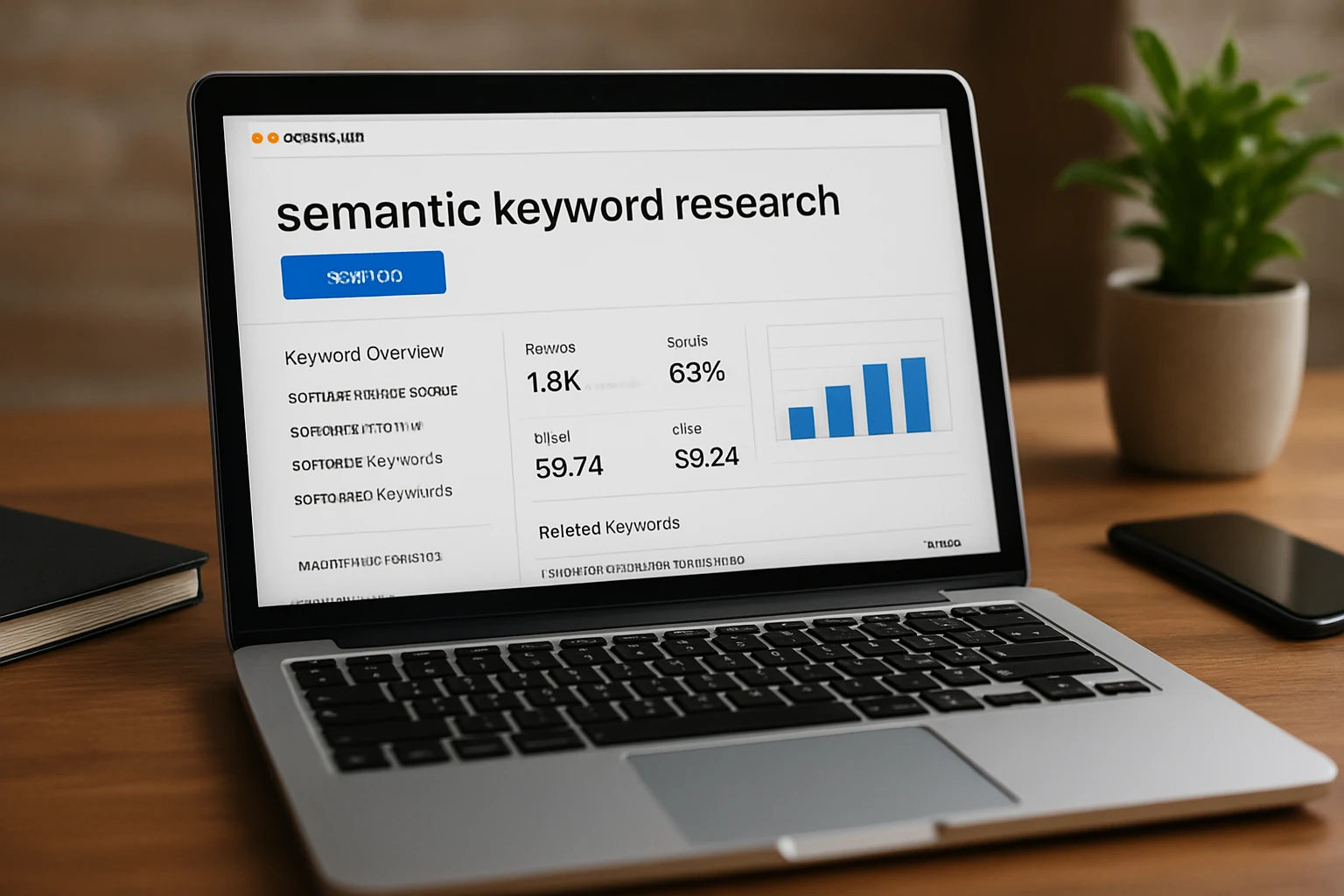
Semrush belongs on this list because its own explanation of semantic search mirrors how many content teams need to think now: stop chasing exact phrases in isolation and start planning around real user intent.
Best for: content strategists, SEO managers, and editorial teams moving from keyword lists to topic planning.
Semantic vs. lexical search
Semrush defines semantic search as the process by which search engines understand and match keywords to a searcher’s intent in organic results. It contrasts this with exact-match lexical search, which focuses on accurate database matches while ignoring spelling or grammar variations.
That is a useful operational distinction. Lexical thinking says, “Did we include the phrase?” Semantic thinking says, “Did we answer the need behind the phrase?” The second question produces better briefs, better outlines, and usually better pages.
Intent-based query examples
Semrush uses the “pizza near me” at 11 p.m. example to show how search can prioritize places that are open late or offer night delivery. That is not a cute analogy. It is the whole shift. Search responds to the situation.
Your page should too. If someone searches “best CRM for a five-person law firm,” a useful page should reflect scale, budget, setup complexity, and compliance concerns. You do not win by repeating “best CRM” 19 times. You win by understanding the decision context — the same lesson hidden inside the 11 p.m. pizza query.
The winning page is not the one with the most keyword repeats; it is the one that answers the situation behind the query.
Best for content strategy and planning
If your bottleneck sits at the planning stage, Semrush is a strong fit. It helps push your team toward intent-led thinking, which is exactly where semantic work begins for most editorial calendars.
This makes it especially useful for marketers building topic clusters, revising old keyword maps, or planning new sections for a site. Just keep the scope clear: this is an intent and planning lane, not a custom search build or an enterprise technical platform.
5. Content optimization and entity tools — best for briefs, topical coverage, and internal linking
This category matters because many teams already have research data. What they lack is a reliable way to turn that data into strong briefs, entity-rich drafts, complete topic coverage, and sensible internal links.
Best for: writers, editors, content operations teams, and SEO managers who need publish-ready workflows rather than raw keyword discovery alone.
Content briefs and topical gaps
As a group, content optimization tools help map related terms, questions, and subtopics into drafts and briefs. That is common knowledge across the category, whether you are looking at Clearscope, Surfer SEO, Frase, or adjacent platforms. Their value shows up after research — when the blank page is the problem.
If your writers keep missing obvious subtopics or producing thin pages that rank for a month and then fade, a briefing tool can add structure fast. It pushes the team toward fuller coverage without requiring every writer to think like an SEO strategist.
Entity coverage and internal linking
Entity-focused workflows often pair content optimization with internal linking and schema-aware publishing. That is where tools like InLinks and WordLift often enter the conversation. The point is not to chase entity jargon. The point is to make sure your pages clearly express what they are about, what related concepts they cover, and how they connect to the rest of the site.
The wider market also shows why this bucket should not stand alone. Tools like SE Ranking now extend into AI visibility tracking, while Lumar pushes into AI search readiness from the technical side. That means content optimization works best as part of a stack, not as your only answer.
If you already have keyword data, the next win is coverage of related entities, subtopics, and questions.
Best for writers, editors, and content operations
This is the right lane when your team publishes often and needs consistency. It is also the right lane when editorial governance matters more than raw discovery — for example, when an agency needs repeatable briefs across 30 clients or a publisher needs internal linking rules that editors can actually follow.
- Use briefing-first tools when your research exists but execution is weak.
- Use entity and linking tools when pages feel isolated, repetitive, or semantically thin.
- Pair this category with a tracker or crawler if AI visibility and technical readiness are also pressing issues.
How to choose the right option
Start with the broken step. That is how you keep the shortlist honest.
Choose by primary use case
Google Cloud and Semrush represent two very different paths. One helps you build a semantic search layer; the other helps you research intent and topic strategy. SE Ranking combines classic SEO tools with multiple AI search trackers, so it fits teams that need broad reporting coverage. Lumar is organized around crawl, monitor, protect, and impact, which suits larger sites with technical bottlenecks.
If you force all of those jobs into one purchase, you usually overbuy in one direction and underbuy in another.
| If your main problem is... | Start with... | Why |
|---|---|---|
| Building a search experience or retrieval layer | Google Cloud | Best fit when you need custom contextual search rather than reporting |
| Monitoring classic SEO plus AI search visibility | SE Ranking | Combines rank, audit, and multiple AI-surface trackers |
| Fixing large-scale technical blockers | Lumar | Strong crawl depth and AI search readiness framing for enterprise sites |
| Planning content around intent | Semrush | Good fit for moving from exact-match keywords to topic strategy |
| Turning research into briefs and entity coverage | Content optimization and entity tools | Useful for outlines, topical completeness, linking, and editorial scale |
Choose by site size and team maturity
A 50-page B2B site does not need the same stack as an international publisher. Small teams usually benefit from breadth first — fewer tools, cleaner reporting, faster adoption. Larger teams often benefit from specialization because technical debt, workflow handoffs, and platform complexity create their own drag.
If you have engineers and product stakeholders in the room, Google Cloud becomes realistic. If your SEO team sends weekly client decks, SE Ranking is easier to operationalize. If your site architecture keeps breaking good content, Lumar becomes the adult choice.
Do not choose a semantic search tool by feature count alone; choose it by which part of the workflow is breaking.
Choose by integrations and reporting needs
Ask blunt questions before you buy. Where will writers actually work? Who owns the crawl fixes? Does leadership want one dashboard or specialist tools? How often do you need exports, alerts, or client-ready summaries?
- Need one place for rankings and AI visibility checks? Favor broad reporting coverage.
- Need deep technical evidence for developers? Favor crawler depth and diagnostics.
- Need editors to improve every draft? Favor briefing, coverage, and internal-link workflows.
- Need custom retrieval or on-site search improvements? Favor build-first platforms.
The good news is that the market is finally clearer than it was in 2024. Vendors are separating into distinct roles. Your job is to buy for the role you need right now.
The best tool here matches the bottleneck, not the buzz. Build with Google Cloud when you need custom retrieval, track broadly with SE Ranking, clean up technical debt with Lumar, and plan or publish smarter with Semrush and the content optimization category.
That is how semantic search seo becomes manageable instead of noisy. Which surface is hurting you most right now — blue links, AI Overviews, chatbot mentions, or the crawl path underneath them?
Grow Semantic Search SEO With SEOPro AI
Get LLM SEO tools to optimize content for ChatGPT, Gemini, and other AI agents—automating publishing, schema, linking, and monitoring while scaling traffic and mentions.
See Platform